 Diwali Engagement Playbook is now


It’s sale week. Campaign brief is in. By Friday your team has built ten versions of the same promotion — one for Gold, Silver, Bronze; one for metro, one for tier-2; one for repeat buyers, one for cart abandoners. Same offer. Same hero. Same CTA structure.
Each variant gets its own brief, its own QA pass, its own approval. By the time the last one clears review, the first one is already sending with segment data that’s two days old.
This isn’t a personalization problem. It’s a campaign authoring problem. And it’s exactly what Liquid Tags are built to fix.
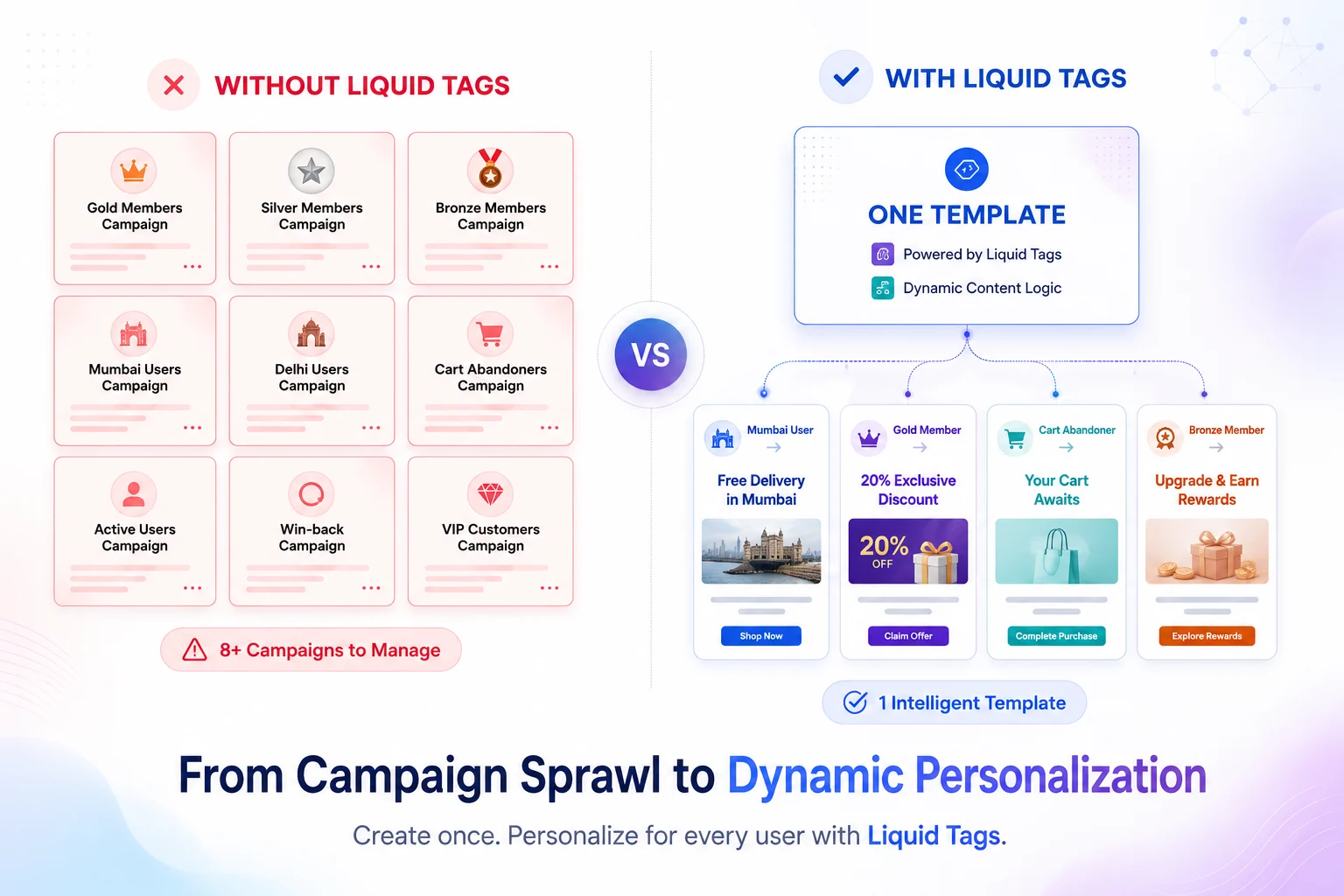
What You Stop Doing
✕ Building 10 variants of the same campaign
✕ Running parallel QA on near-identical creatives
✕ Waiting on engineering for a new conditional
✕ Sending yesterday’s data because your segment froze at queue time
✕ Making “we don’t have time for a variant” compromises
“Liquid Tags let you write one campaign that renders the right version for each recipient automatically, at the moment Netcore dispatches the message.”
1. Show Different Content to Different People In One Campaign
The if / elsif / else block lets you gate any content behind a user attribute. Every “we built four variants” situation collapses into one template with branches.
REAL EXAMPLE: DIWALI SALE, THREE TIERS, ONE CAMPAIGN
One brief. One creative review. One send schedule. Three tier-appropriate messages.
{% if user.tier = "gold" %} Early access starts now.
{{ user.points }} pts → 25% off everything.
{% elsif user.tier = "silver" %} You're {{ user.points_to_gold }} pts from Gold. Earn 2x today + 20% off. {% else %} Diwali sale is live — up to 20% off across the store. {% endif %} 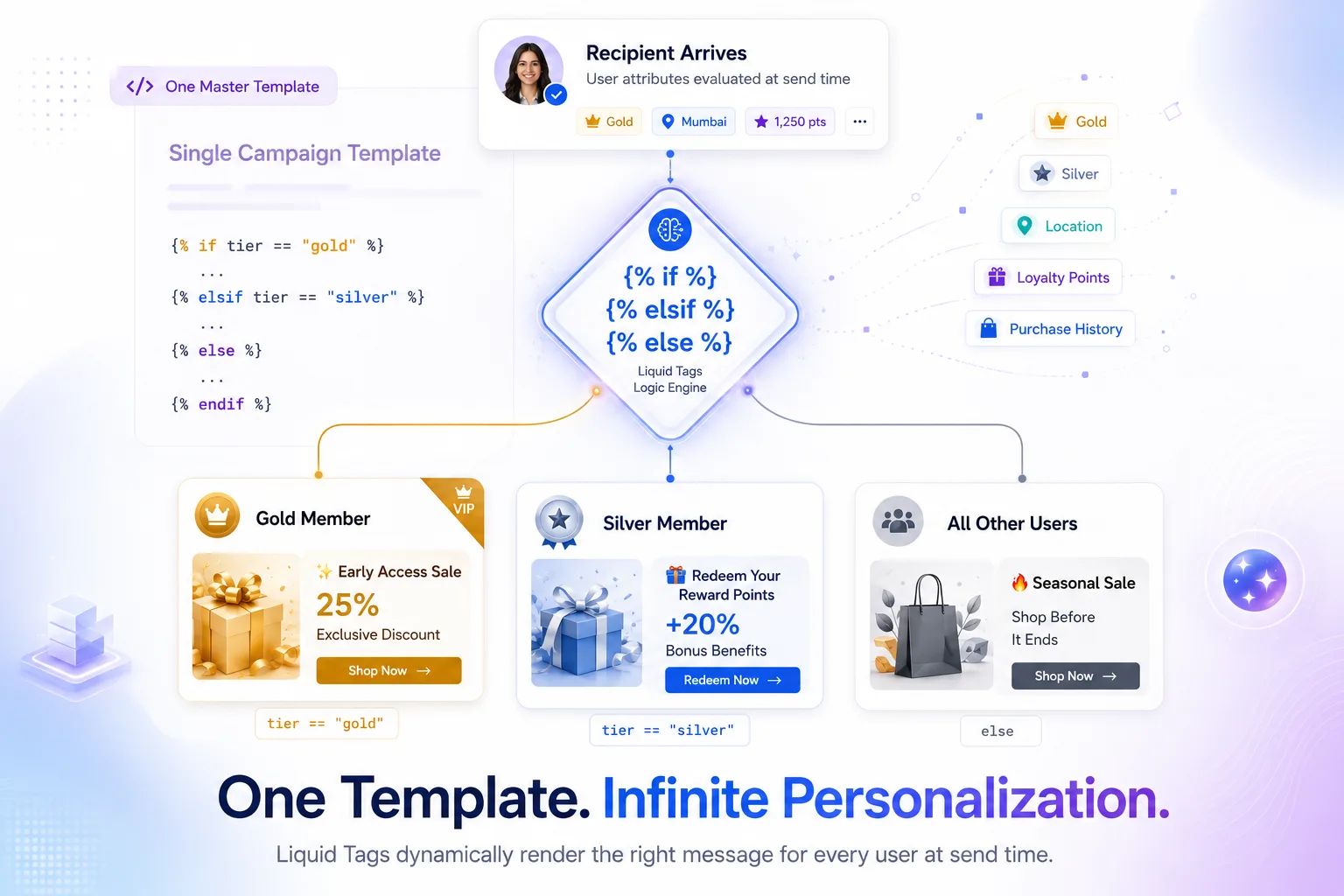
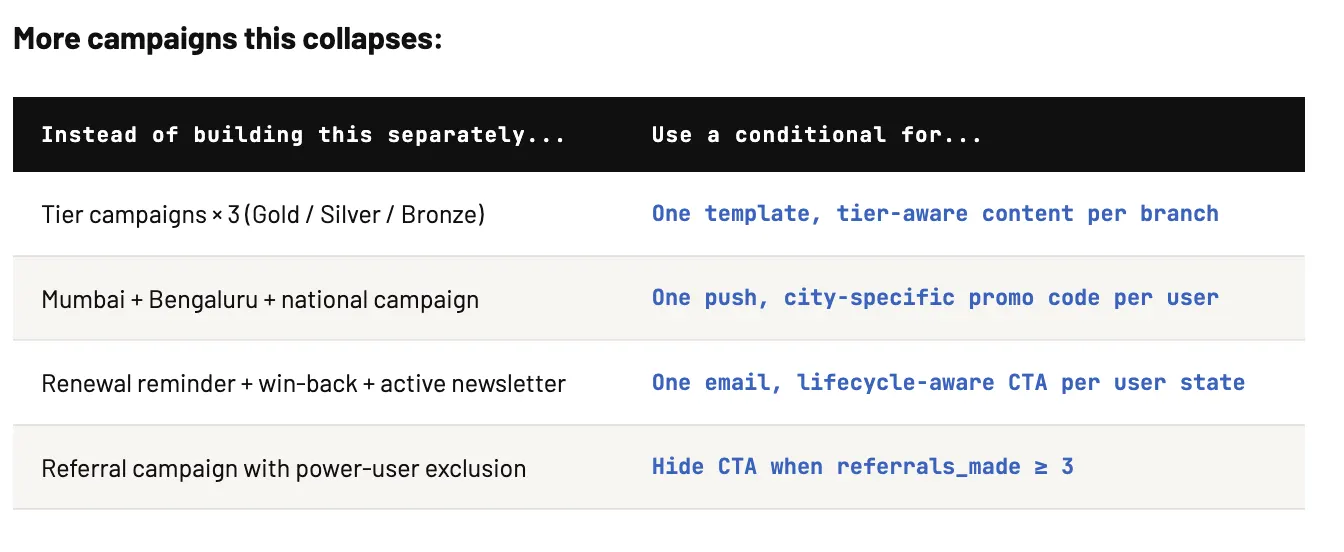
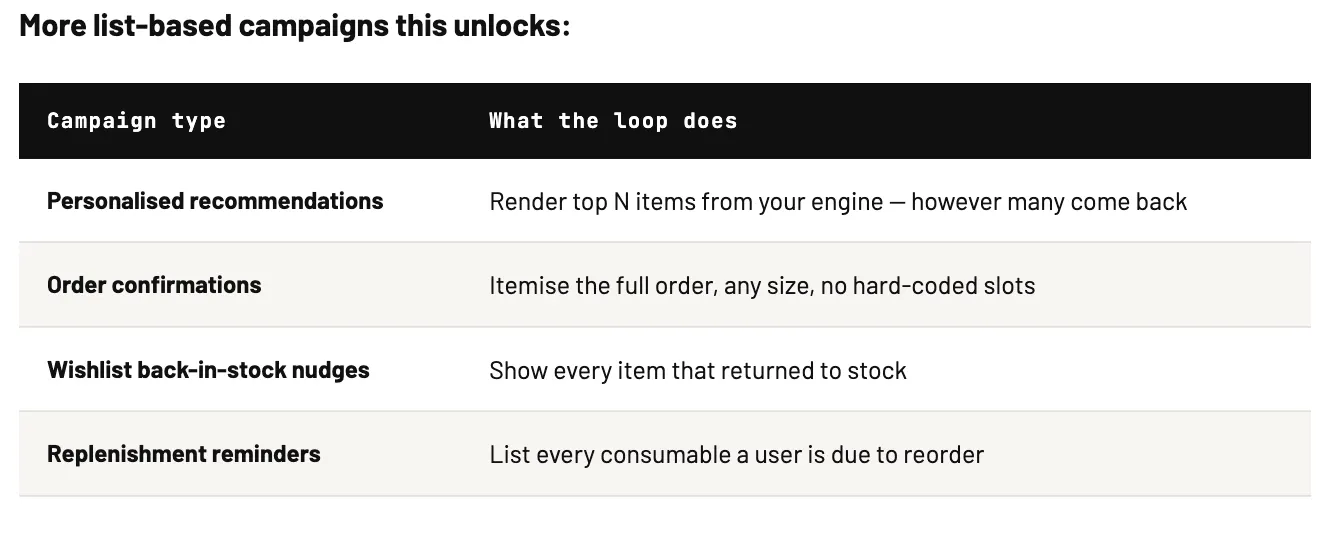
More campaigns this collapses:
Instead of building this separately… Use a conditional for…
Make Raw Data Look Right Without Engineering
Data in your platform isn’t message-ready. Names are lowercase. Prices are floats. Timestamps are Unix. Liquid filters fix it inline — no ticket needed.
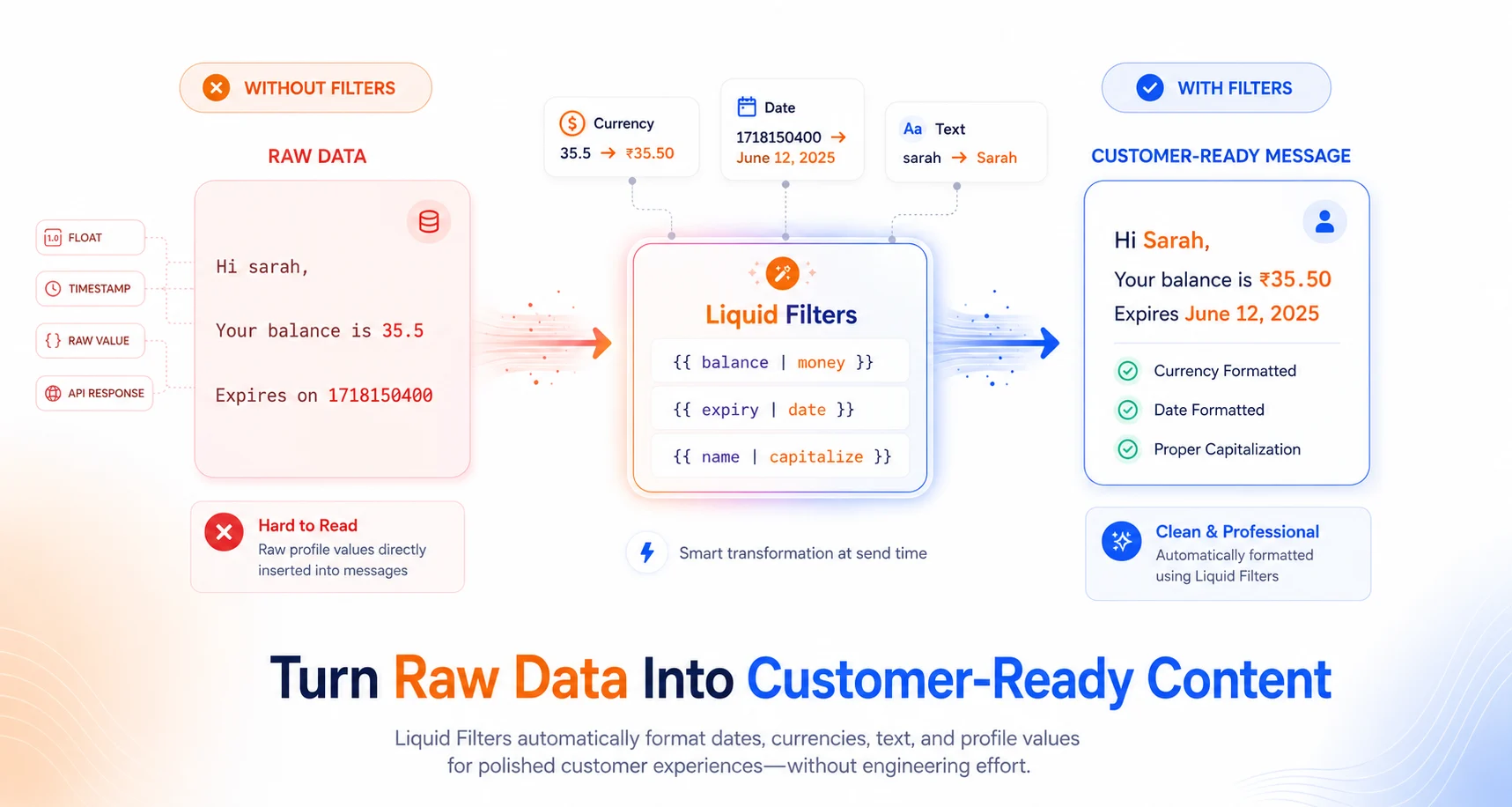
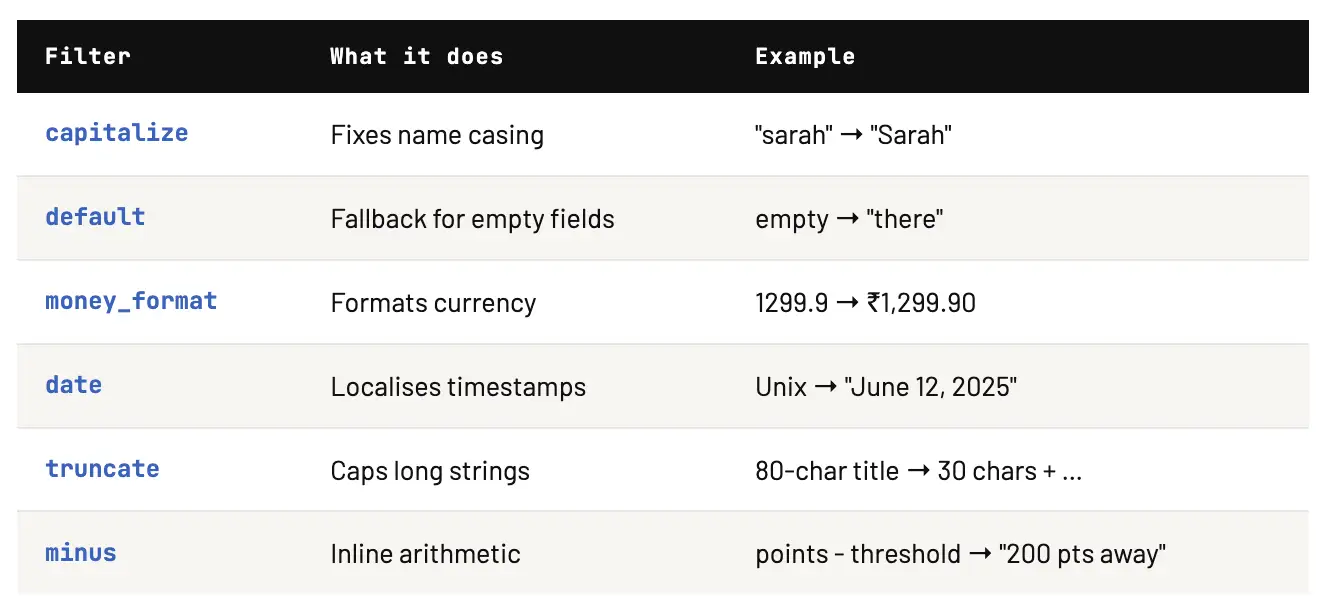
What this replaces
Every “can engineering clean this field before send” ticket. Every QA catch where “₹1299.9” in a preview pushes the send by a day. The full supported filter list is in the Liquid Tags documentation →
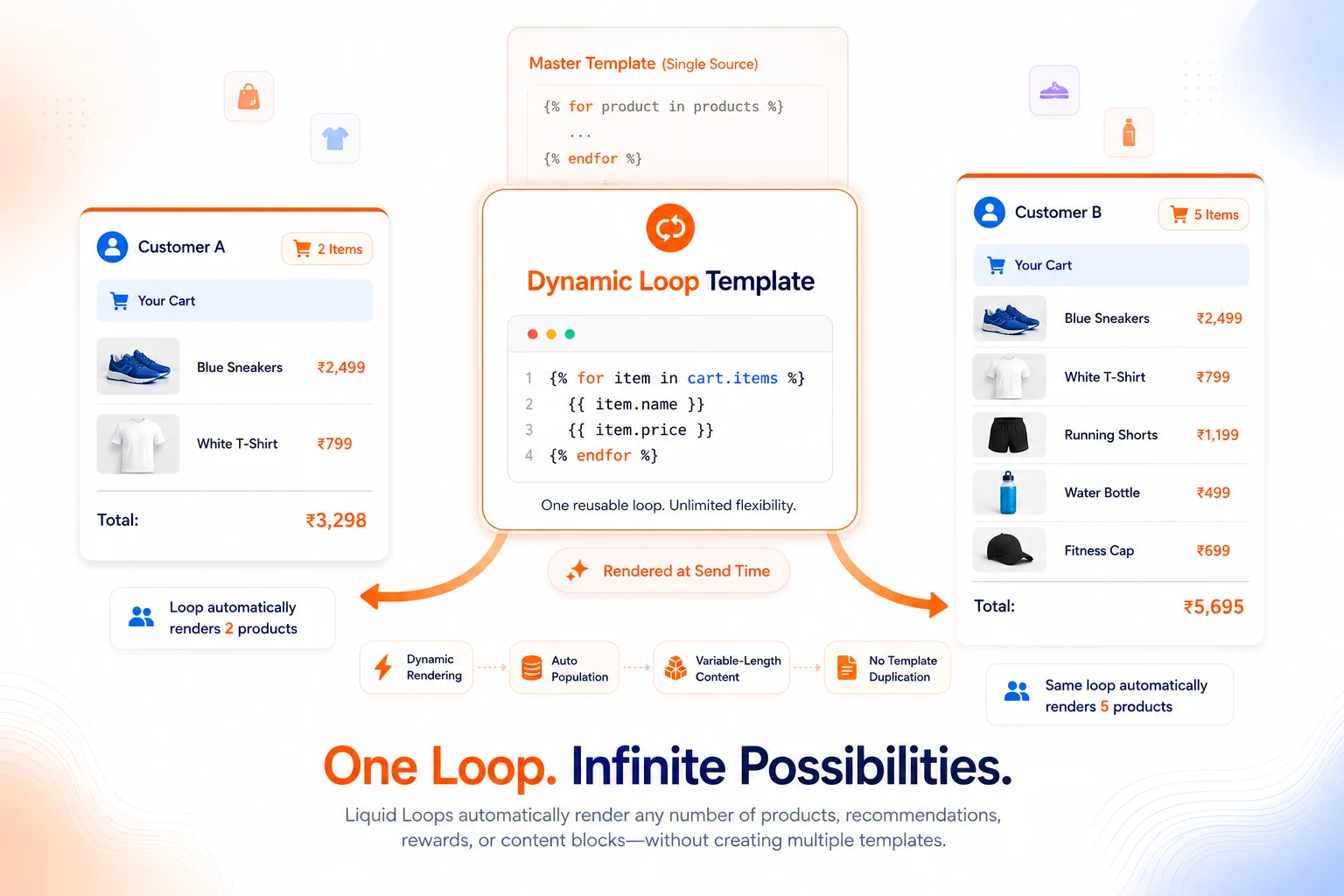
You Don’t Need to Write Any of This Yourself
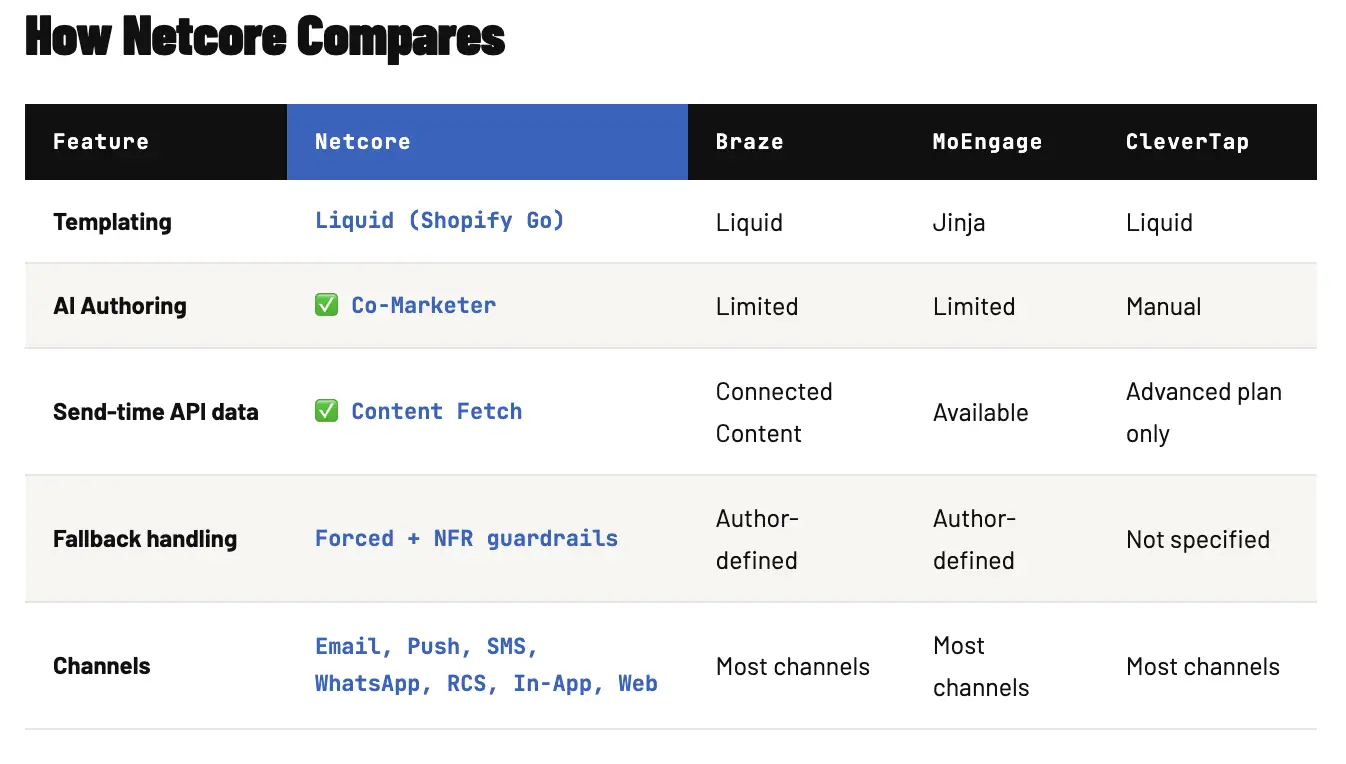
Liquid is code. Most marketers didn’t sign up to write code. Co-Marketer generates it for you describe what you want in plain English, get production-ready Liquid back instantly.
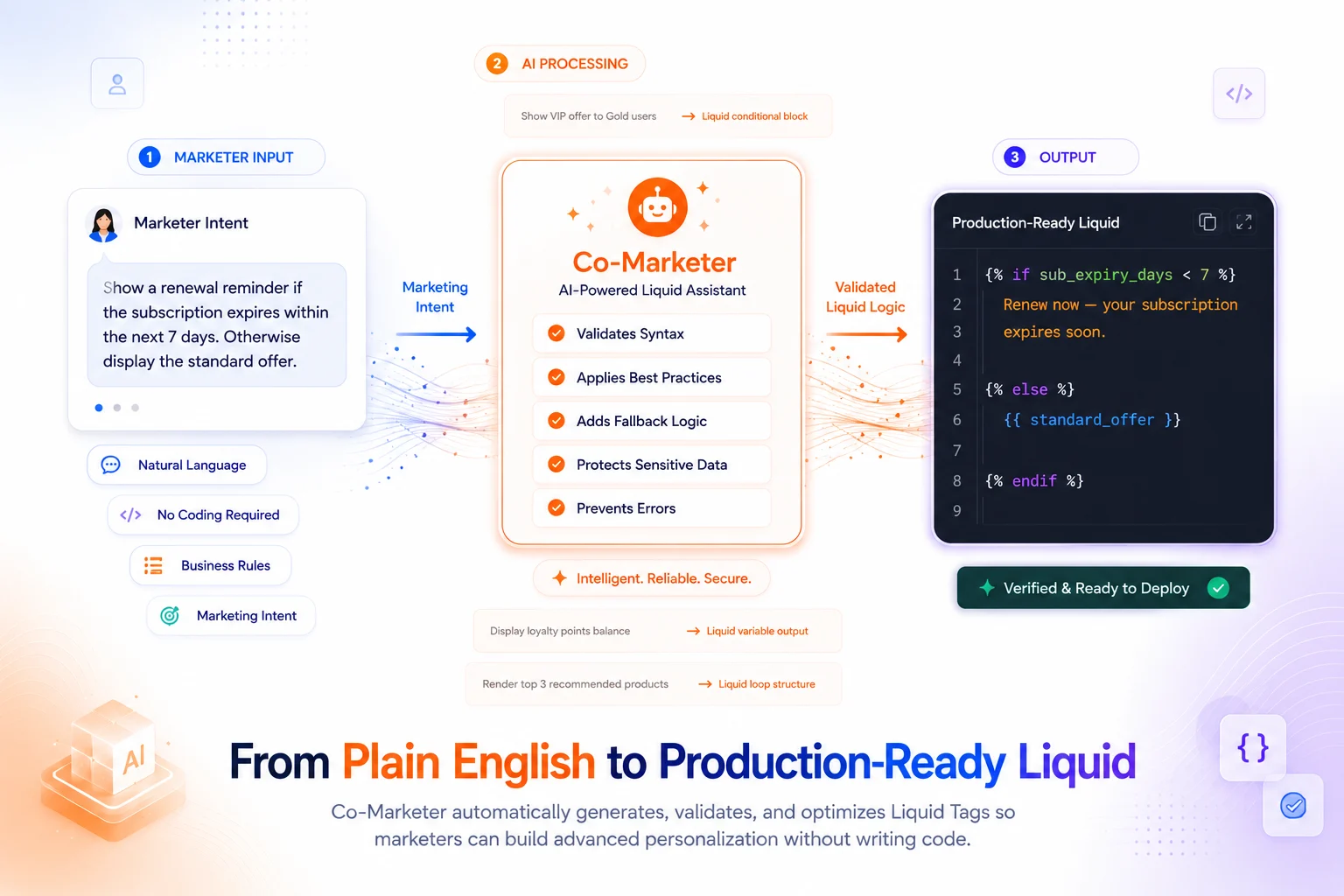
Two things Co-Marketer enforces automatically:
- Forced fallbacks
Before generating any conditional, Co-Marketer makes you define what happens when data is missing. A blank loyalty balance looks worse than no personalisation at all this prevents it.
- PII safety by default
Co-Marketer references attributes by schema, never by value. It never reads actual user records during authoring. Compliance stays intact as personalisation scales.
Segmentation tells Netcore who gets the campaign. Liquid Tags determine what each person sees at the moment it’s sent.
Fewer campaigns to clone. Faster launches. Cleaner messages. Logic that resolves against fresh data at dispatch. One template doing the work of many authored in plain English, rendered at send time.That’s the unlock.
Ready to build your first Liquid template?
Start with your most-cloned campaign. Co-Marketer will write the logic for you.

