


TL;DR
Disconnects between web browsing data and email platforms cause generic, irrelevant marketing messages. By unifying product discovery and customer engagement on a single data core (like Netcore), brands can automatically trigger hyper-personalized emails such as low-stock alerts, price drop notifications, saved search updates, and affinity-based recommendations while dynamically tailoring the website experience based on email clicks.
Imagine a shopper carefully browsing your store, filtering for their exact preferences and price range, only to receive a generic “weekly bestsellers” email days later. It isn’t a lack of creativity on your end, but simply a missed connection between your marketing tools. Because your product discovery platform already knows exactly what your shoppers want, syncing that rich data directly to your email platform lets you turn generic campaigns into perfectly tailored, highly relevant recommendations with minimal effort.
63% of US shoppers say their favorite retailers remember their behavior across channels, yet 57% say most of what they get is still generic. And 80% say they’re likely to ignore brands that send irrelevant messages.
The good news is that this behavior is already being captured. Connect it to your campaigns, and every email can pick up where the shopper left off. The following is what this looks like in practice.
Why Your Website and Your Emails Aren’t in Sync
Your on-site search, product recommendations, and email platform share a catalog, but they isolate shopper behavior. Search queries and browsing habits stay siloed on the website, leaving every system with a fractured view of the customer. Bridging this gap requires a single, real-time shopper profile that continuously syncs intent across search, recommendations, and email.
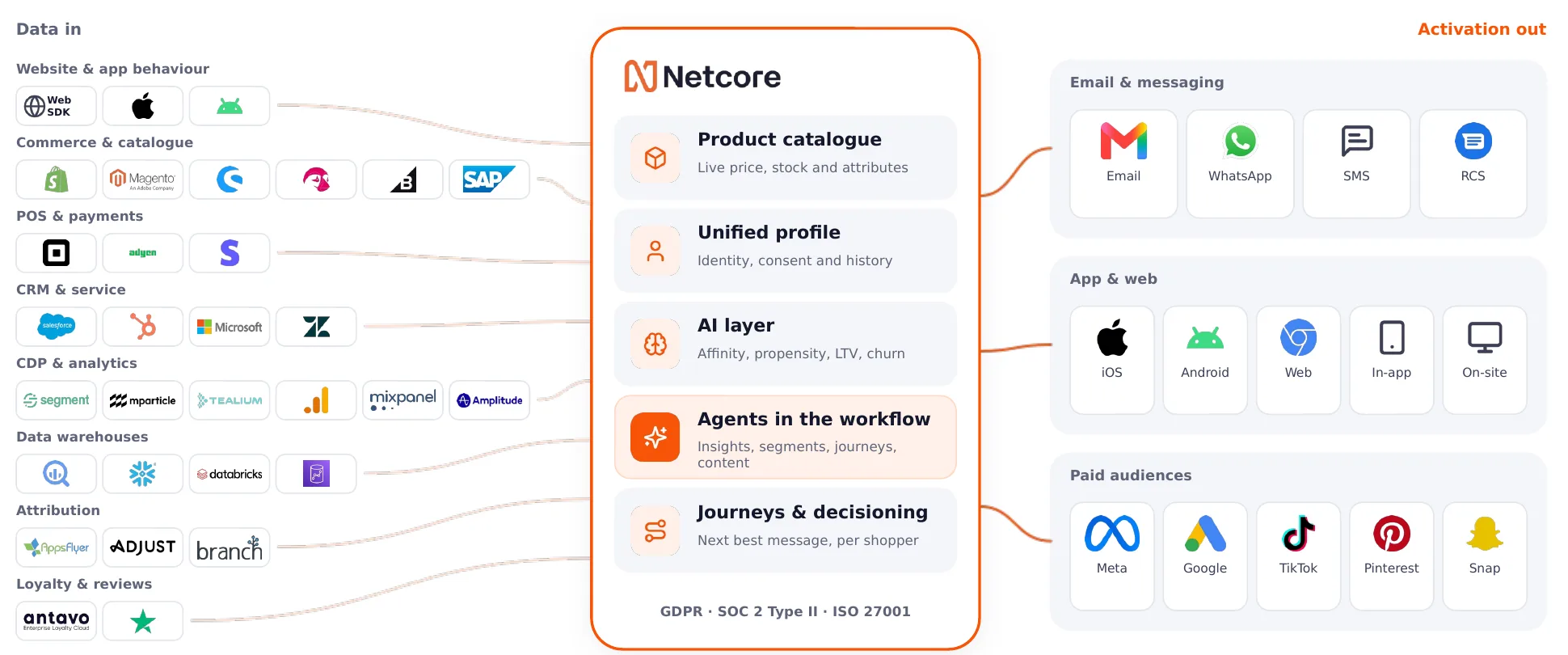
The following strategies below are built around moments: something changes on a product a shopper cares about, or a shopper does something that should change what they see next. The examples use a fashion store, but every play works the same way for beauty, home, electronics, or any catalog with sizes, variants, and price points.
Ways to Sharpen Emails with On-site Search Data
Each of these plays runs as a trigger. It fires the moment a product changes or a shopper acts, so nobody has to schedule a send. Plays 1 to 3 are merchandising triggers: they watch your catalog for restocks, low stock, and price drops, and reach the shoppers who showed interest.
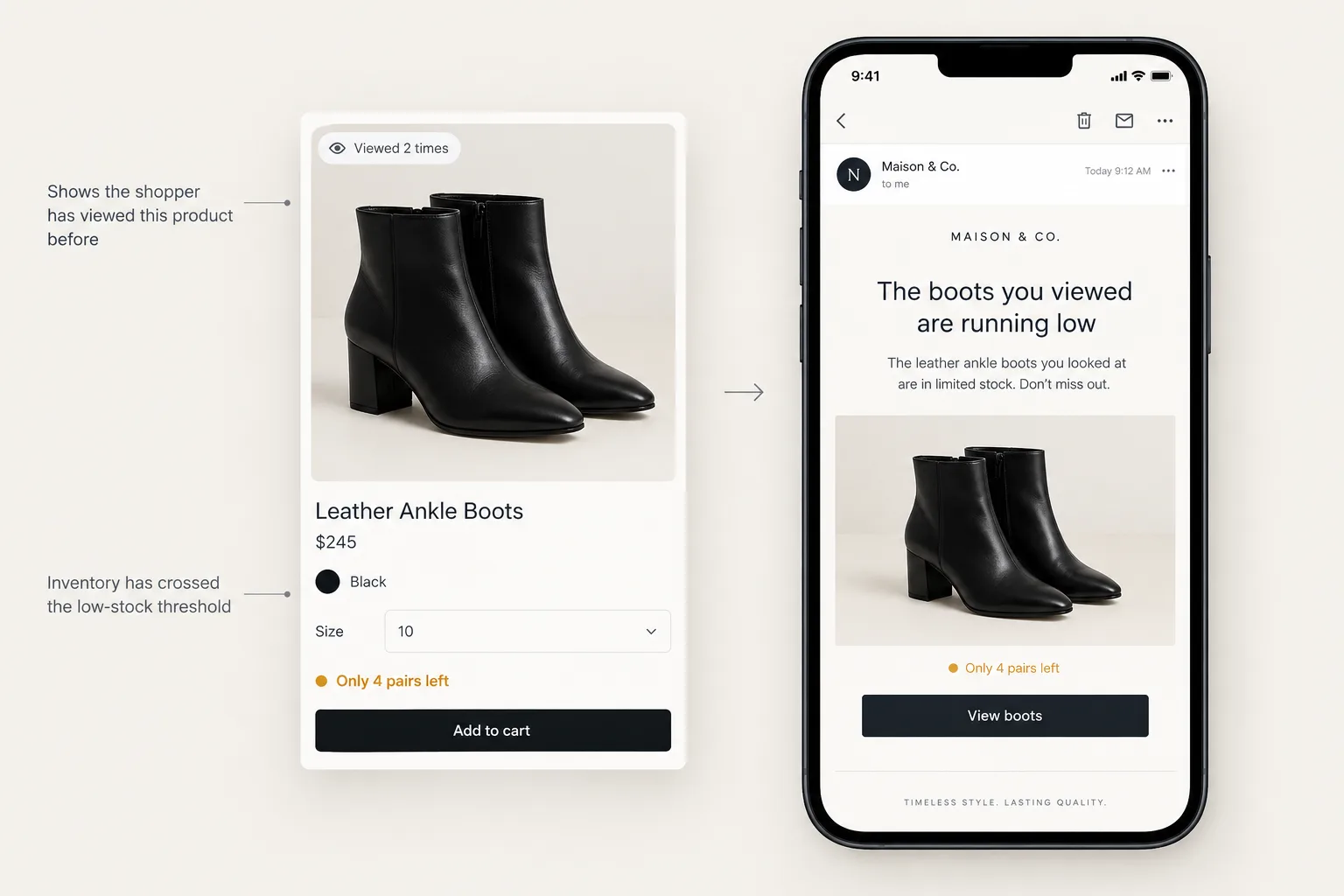
1. Tell Them When Something They Viewed Is Running Low
A shopper views the same pair of boots on multiple visits but never adds them to the cart. That means interest. When stock drops below a level you set, they get a short message pointing out a lack in stock. It’s real urgency about a product they already have considered.
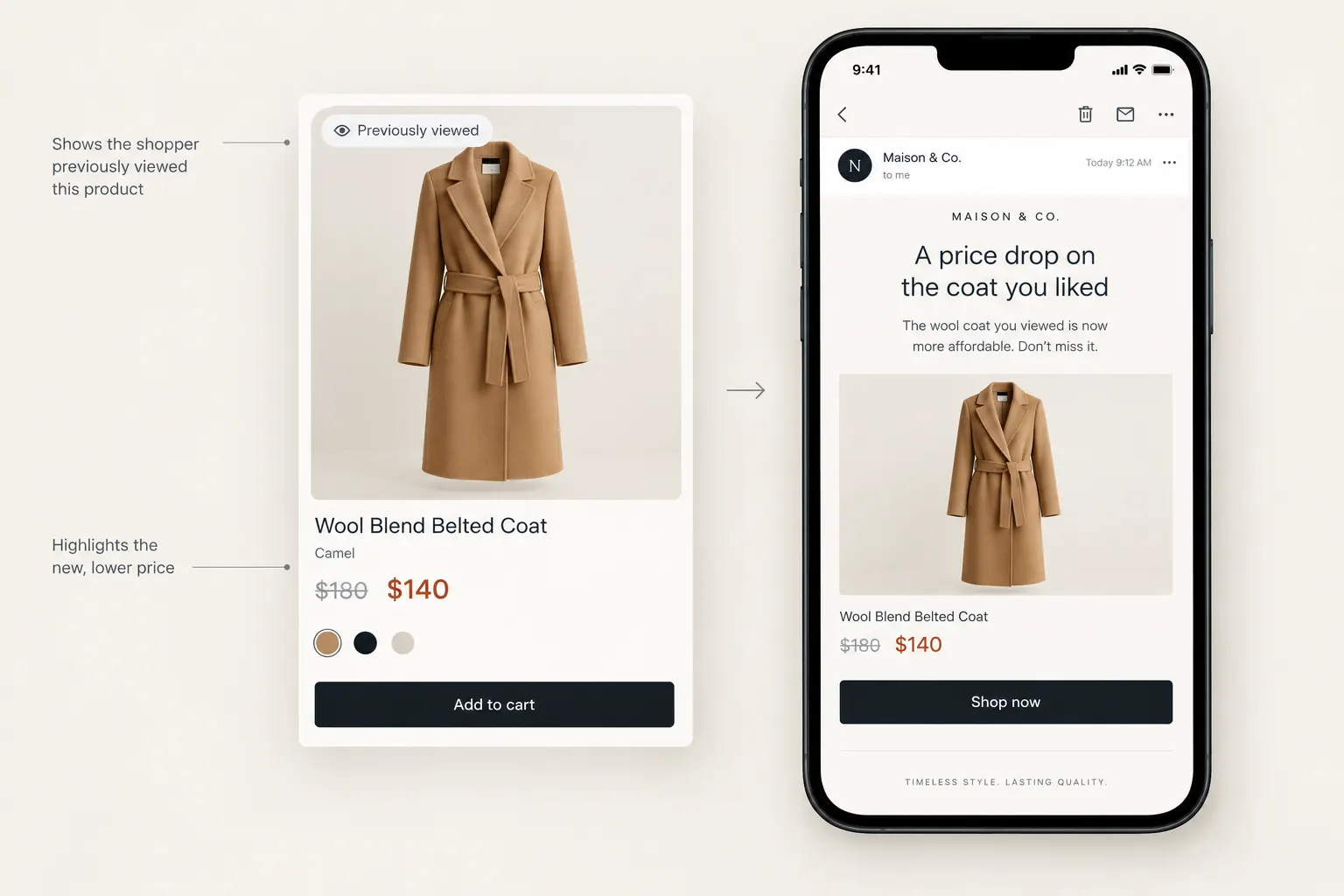
2. Let Them Know When The Price Drops on Something They Viewed
A shopper looks at a high ticket item – say, a $180 wool coat a couple of times, maybe they type out the exact brand name, variant on the search bar. When the price drops, they get a short message with that coat and its new price. If price was what held them back, this is the email that brings them back.
3. Turn Saved Searches Into Future Revenue
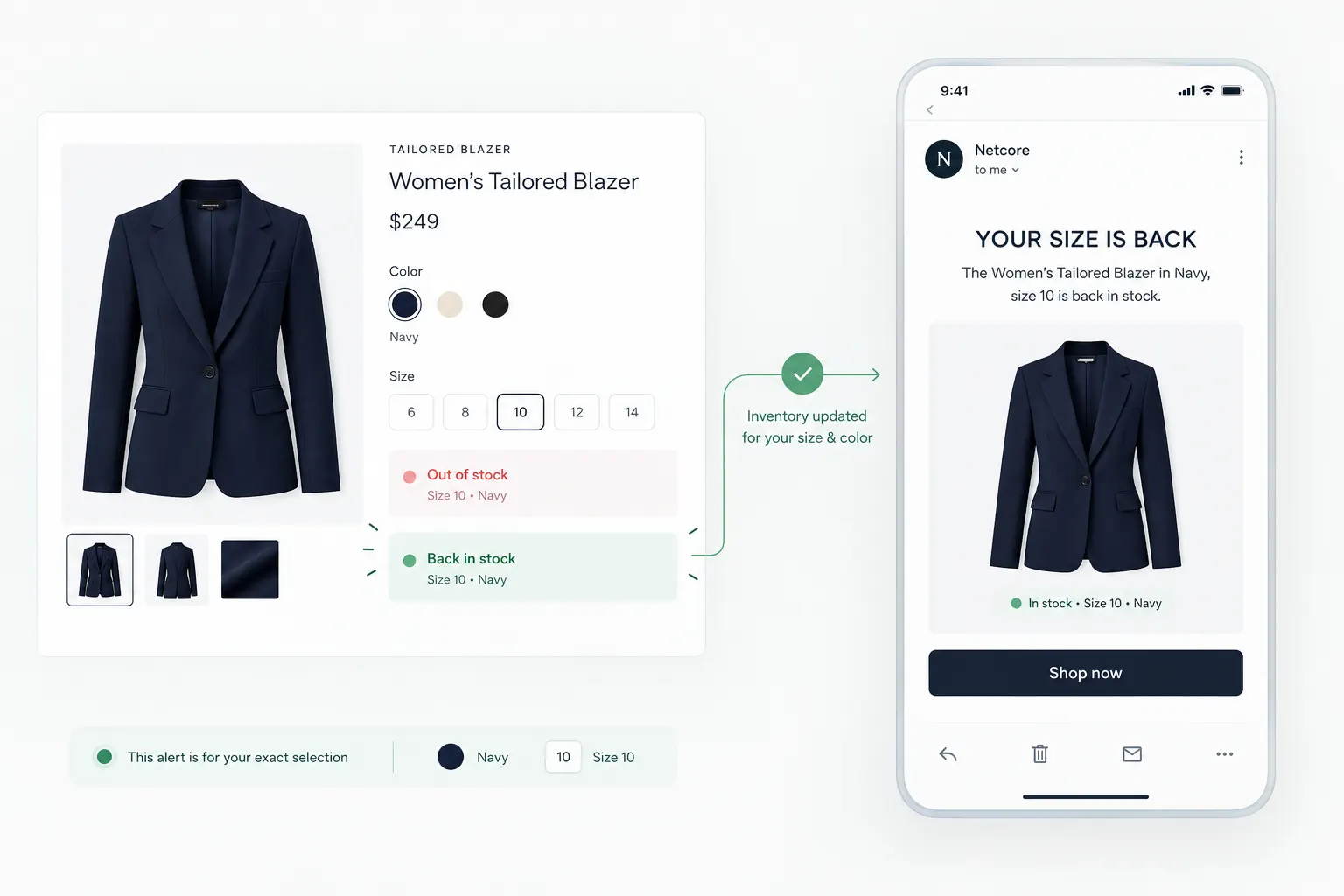
When shoppers search for a product but don’t find what they need, that intent shouldn’t go to waste. With Saved Search, retailers can capture high-intent searches and reconnect with shoppers when matching products become available, prices change, or new inventory is added to the catalog. Turning search intent into future revenue by bringing shoppers back when there’s a reason to buy.
4. Send New Arrivals From the Categories and Brands They Return To
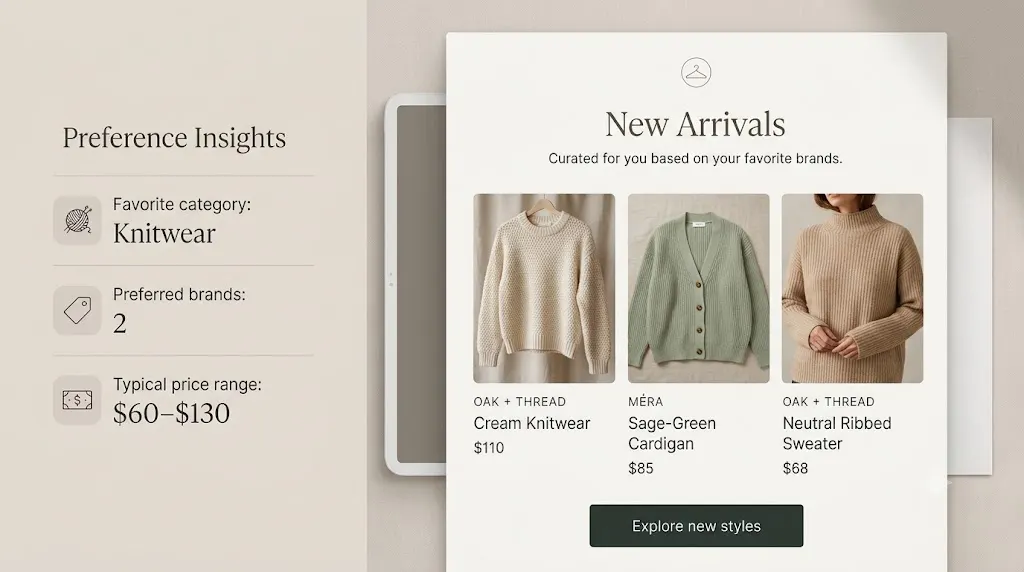
This month, a shopper repeatedly browsed two specific knitwear brands priced between $60 and $130. When new knitwear from those brands lands, their next email leads with it. Their preferences update as they browse and click. The email stays relevant every week without anyone rebuilding a segment.
5. After a Purchase, Recommend What Goes With It
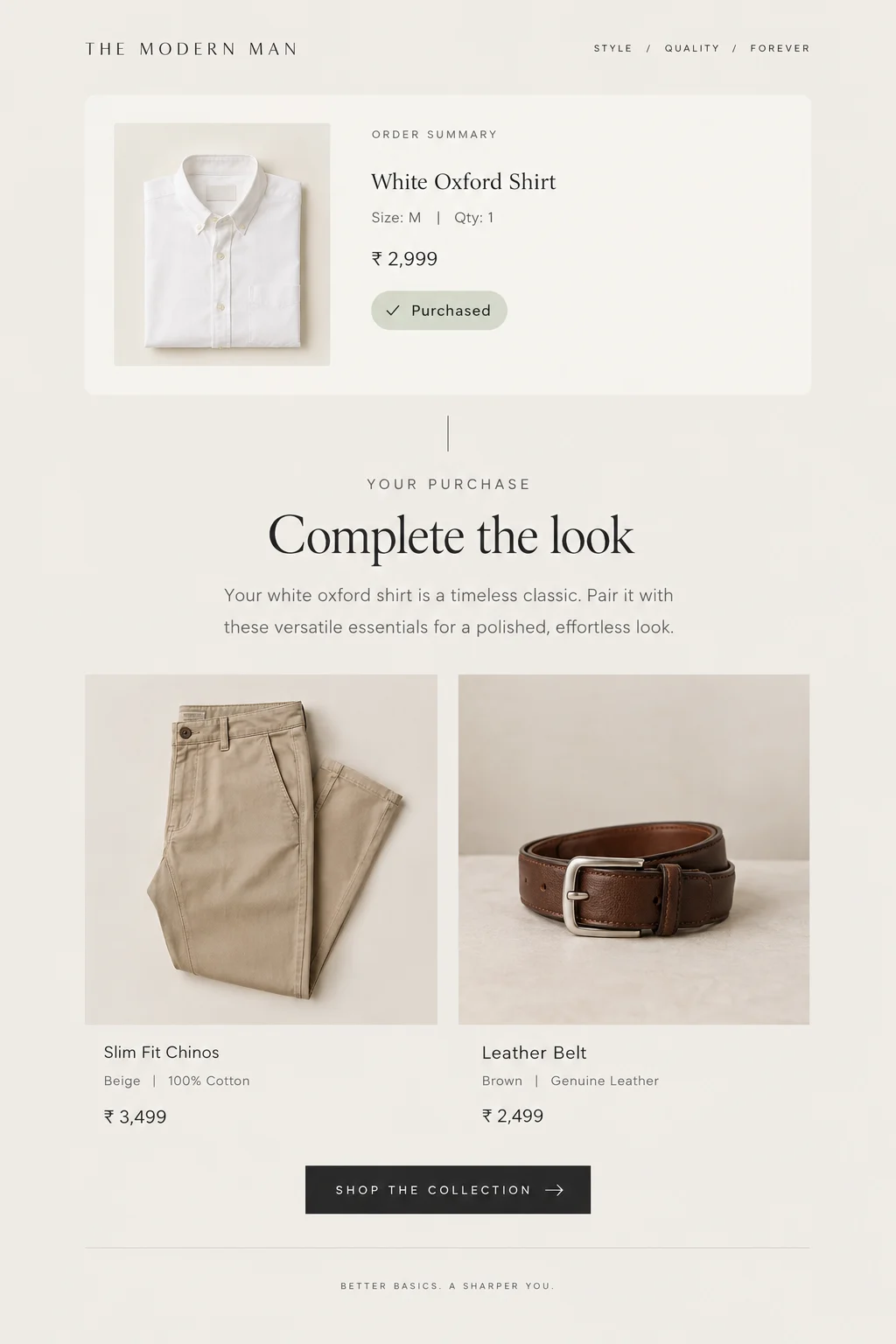
A shopper buys a white oxford shirt. Once the order is delivered, a post-purchase trigger sends their next email. It should feature the chinos and belts often bought with it, and no more white shirts. Recommending something a shopper just bought tells them nobody is paying attention.
Use What Shoppers Do in Your Emails to Shape Your Site
Reorder Category Pages Around What They Click
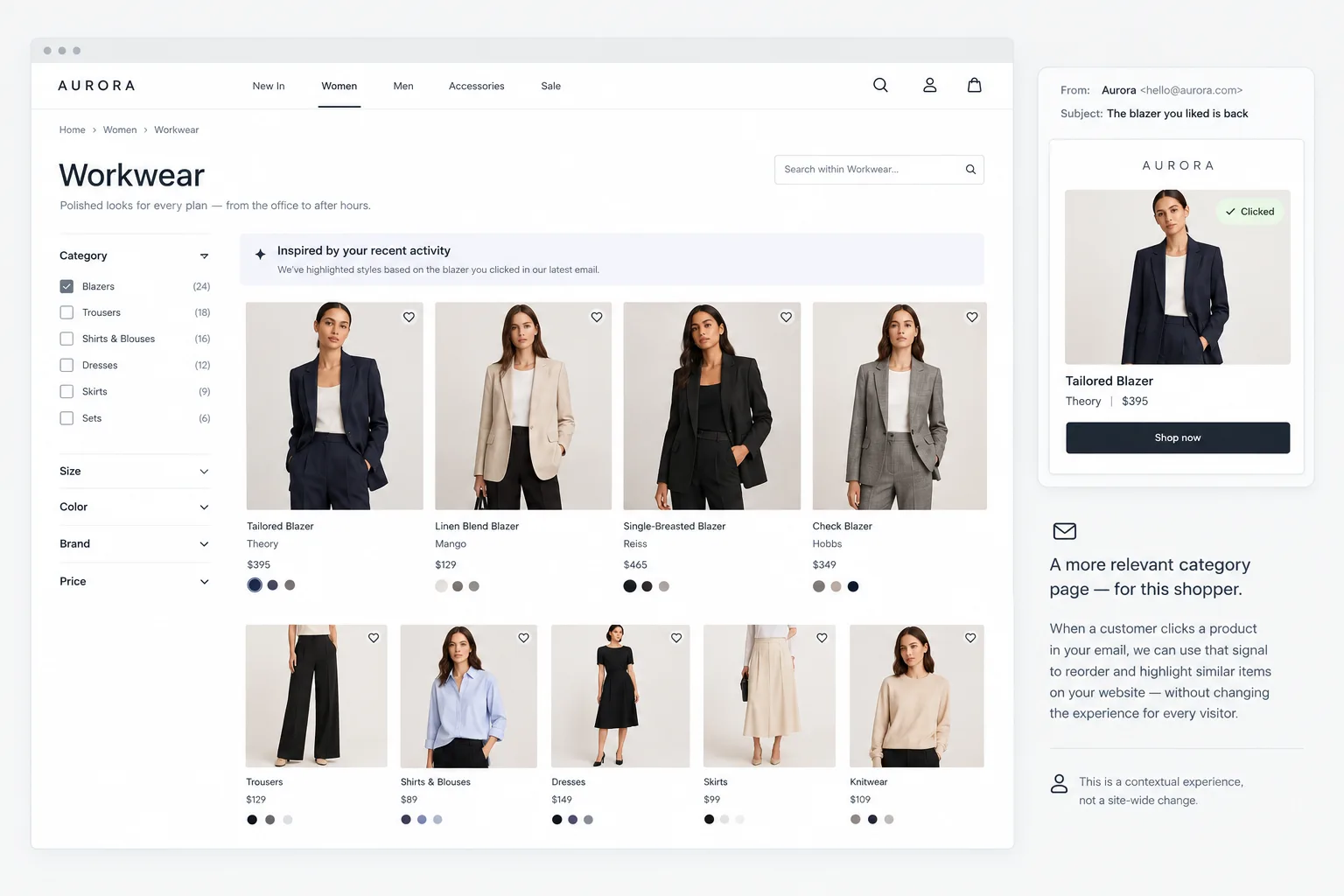
A shopper clicks a blazer in your email and lands on your site. That click is a fresh signal, and product discovery acts on it straight away.
From the first page, personalization models read the visit as a sequence: what was clicked, what was viewed next, and how recently. They give more weight to the latest and strongest signals, like a product view or an add-to-cart, and re-rank the category page to match. So blazers and tailored pieces move up the grid as the shopper engages with them, instead of everyone seeing the same generic order.
The shopper doesn’t need a login or a long purchase history for this to work. The email click and the first few actions on site are enough to tell whether they’re browsing or ready to buy.
How Netcore Keeps Your Site and Emails in Sync
For these strategies to work, they need one view of each shopper, used everywhere. On older email platforms, product data arrives as a feed and on-site behavior lives with another vendor, so each play turns into an integration project.
On Netcore, product discovery and customer engagement run on the same data core. Your product catalog, customer behavior, and channel engagement all sit in one shopper profile, so catalog data flows straight into email, app, SMS, and every other channel without a feed to sync. That’s why these plays can be live in under an hour. Every visit, product view, and purchase shapes the next message, and every email click shapes the next visit. Shoppers get one cohesive, personalized experience across channels, and that’s what drives results like these.
New York & Company runs it this way. After moving product discovery and email onto one solution, the retailer reported a 600% increase in email click rates and a 70% lift in revenue per email.
See these plays running on one shopper profile. Book a demo.


